You just published a brilliant blog post on Medium. Now you need to copy it to your Shopify store. Then paste it into your Webflow site. Reformat the images. Fix the headings. Tweak the layout. By the time you’re done, you’ve spent more time republishing than writing.
What if your blog posts could flow automatically from one platform to another, fully formatted, images included, with zero manual work?
That’s exactly what PugSync does.
What Is PugSync?
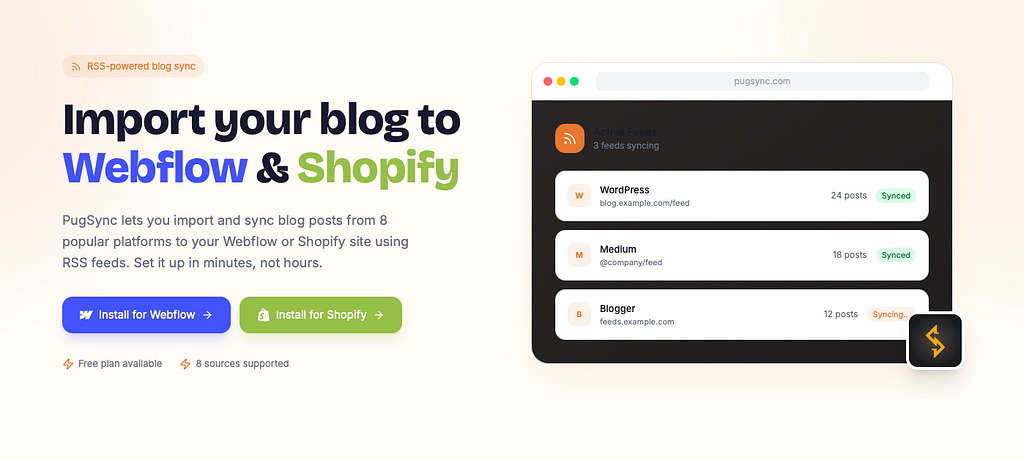
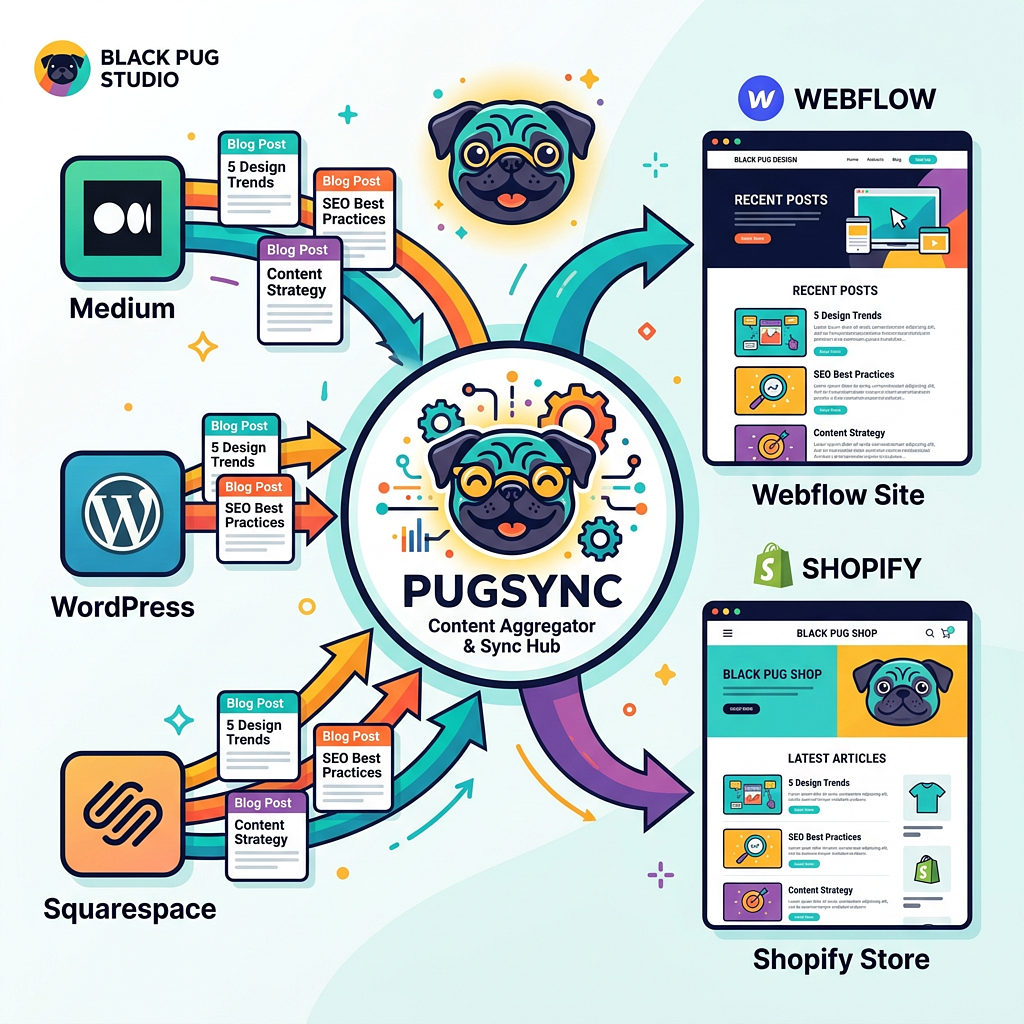
PugSync is an RSS-powered blog sync app that lets you import and sync blog posts from eight popular platforms to your Webflow or Shopify site. It connects to your existing RSS feeds, pulls in your content, and publishes it directly to your CMS. No copying, no pasting, no reformatting.
Whether you write on WordPress, Medium, Squarespace, Wix, Blogger, Tumblr, or even another Webflow or Shopify site, PugSync handles the import so you can focus on what actually matters: creating great content.
From Medium to Everywhere: How PugSync Evolved
PugSync started in 2019 as a focused tool called “PugSync for Medium,” built by Black Pug Studio to solve a simple problem. Shopify store owners wanted their Medium articles on their store blogs without the copy-paste headache.
The response was immediate. Shopify even featured PugSync in the “New & Noteworthy” category on launch day.
But users wanted more. They asked for WordPress support, Squarespace imports, and the ability to sync from multiple sources at once. So PugSync v2 dropped the “for Medium” label and expanded to eight platforms, with support for up to ten simultaneous RSS sources.
Then came PugSync Version 3: the biggest update yet. It introduced CDN image hosting (solving the dreaded broken-image problem), built-in analytics for Shopify users, a revamped article management system, and a permanent Free Plan with no time restrictions.
In September 2025, PugSync landed on the Webflow Marketplace, rebuilt from the ground up to feel native to Webflow’s no-code CMS. Same simplicity, same pricing, entirely new architecture.
How to Import Your Blog to Your Website in 4 Steps
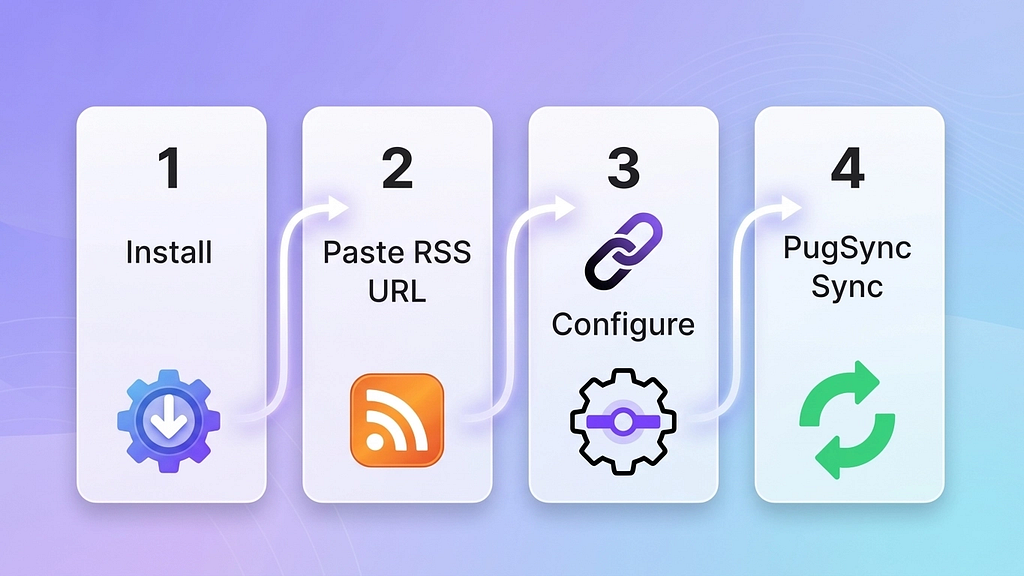
Getting started with PugSync takes less time than making a cup of coffee. Here’s the process:
- Install PugSync from the Webflow Marketplace or the Shopify App Store. Setup takes under a minute.
- Paste your RSS feed URL and select your platform. PugSync lets you select from 8 different platforms to sync from.
- Configure your settings. Choose which Shopify Blog or Webflow collection receives your articles. Set your sync preferences (manual or AutoSync) and, if you would like, your articles to be synced as drafts or published automatically.
- Hit sync. Watch your posts flow in, fully formatted with images. If AutoSync is active, PugSync keeps everything up to date going forward.
No coding. No developer needed. No technical skills required.
Features That Set PugSync Apart
AutoSync: Set It and Forget It
Turn on AutoSync and PugSync imports new articles the moment they’re published on your source platform. Your site stays fresh without you lifting a finger. Prefer more control? Switch to manual sync and choose exactly which posts appear on your site.
CDN Image Hosting
One of the biggest frustrations with blog migration is broken images. When you delete the original post or switch platforms, your visuals vanish. PugSync solves this by automatically hosting images on Webflow’s CDN, Shopify’s CDN, or PugSync’s own CDN. Your images stay intact no matter what happens to the source.
Flexible Customization
Map RSS fields (titles, summaries, body content) directly to your CMS structure. Assign different sources to different blogs or collections. Once imported, every post is fully editable in your visual editor, so you can fine-tune the look to match your brand.
Multi-Site Management
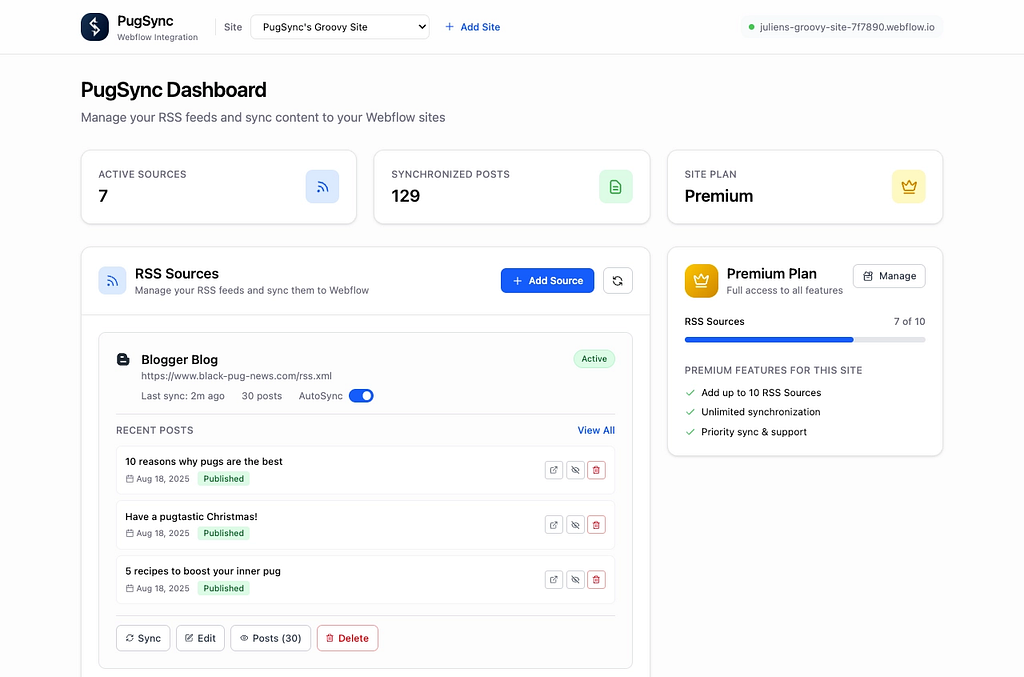
Running multiple websites? PugSync’s centralized dashboard lets you manage all your Webflow or Shopify sites and their RSS feeds from one place. Sync a Medium feed to your agency blog, a WordPress feed to a client’s news section, and a podcast feed to a media site, all without switching tools.
Analytics (Shopify)
PugSync’s Premium Plan on Shopify includes built-in analytics: Page Views, Average Read Time, Links Opened, Current Readers, and “Readers Also Read” recommendations. Track performance globally or drill down to individual articles.
Medium Bulk Import (Shopify)
Migrating from Medium to Shopify? PugSync lets you bulk import multiple Medium articles at once, skipping the one-by-one grind entirely.
Pricing: Start Free, Upgrade When You’re Ready
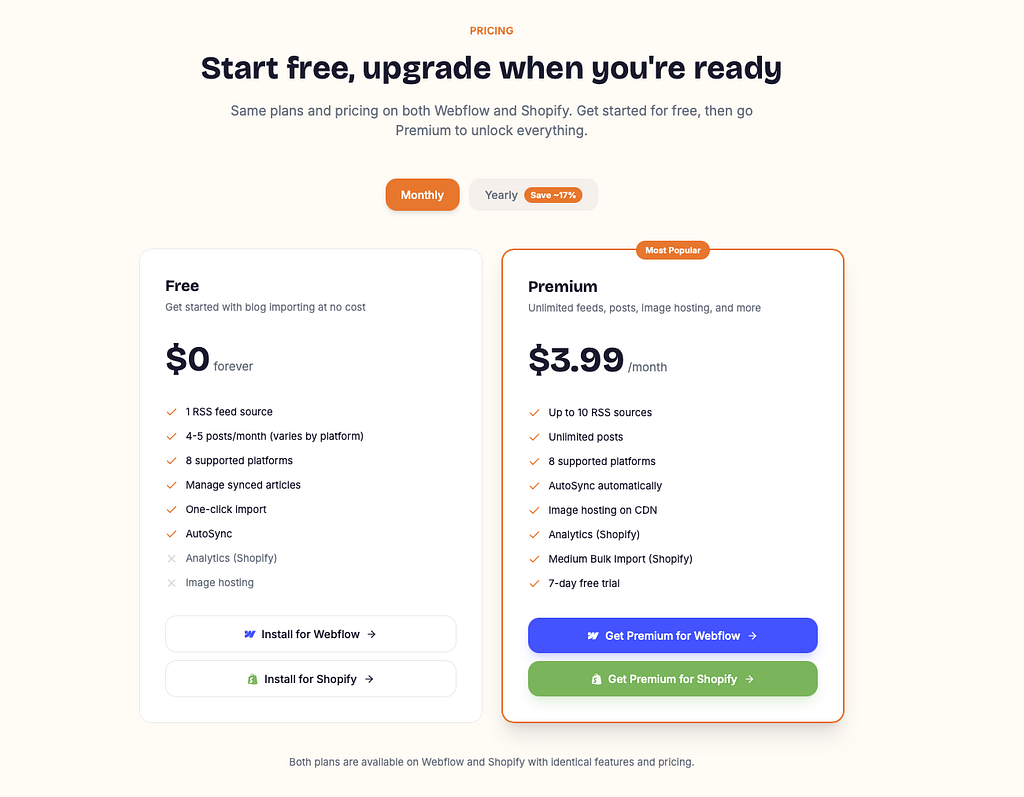
PugSync offers identical plans on both Webflow and Shopify.
The Free Plan gives you one RSS source and 4 to 5 posts per month (depending on the platform), with no time limit. It’s a genuinely useful tier for small blogs or anyone who wants to test the waters before committing.
The Premium Plan unlocks up to 10 RSS sources, unlimited posts, CDN image hosting, AutoSync, and (on Shopify) analytics plus Medium Bulk Import. It costs $3.99 per month or $39.99 per year, saving roughly 17%. Every Premium subscription starts with a 7-day free trial, so you can explore the full feature set risk-free.
Who Is PugSync For?

PugSync fits a surprisingly wide range of users:
- Bloggers and content creators who publish on Medium, WordPress, or Squarespace and want their content on their own website without the manual work
- E-commerce store owners who use Shopify and want a blog to boost SEO and customer engagement
- Agencies and freelancers managing multiple client sites that need regular content updates
- Marketing teams looking to centralize content from several platforms into one branded hub
- Anyone migrating platforms who doesn’t want to lose years of blog posts in the transition
If you create content anywhere and want it on your Webflow or Shopify site, PugSync was built for you.
What’s Next for PugSync?
The team at Black Pug Studio is already working on the next wave of features. On the roadmap: AI-powered enhancements including automatic formatting for cleaner layouts, SEO suggestions tailored to your content, and translation tools to help you reach global audiences. All of it will integrate directly within your CMS, keeping the workflow simple and the learning curve flat.
Frequently Asked Questions
What is PugSync?
PugSync is an RSS-powered app built by Black Pug Studio, a creative agency based in Galway, Ireland. It imports and syncs blog posts from eight popular platforms (WordPress, Medium, Wix, Blogger, Tumblr, Squarespace, Webflow, and Shopify) to your Webflow or Shopify CMS automatically.
How does PugSync import content to my website?
PugSync connects to the RSS feed of your source platform. When new posts are published (or on demand with manual sync), it pulls the content, formats it for your CMS, and hosts images on a CDN for fast, reliable display.
Do I need technical skills to use PugSync?
Not at all. PugSync is designed to be beginner-friendly. Install the app, paste your RSS feed URL, configure a few settings, and you’re done. No coding required.
Is PugSync free to use?
Yes. The Free Plan includes one RSS source and 4 to 5 posts per month with no time limit. The Premium Plan ($3.99/month) unlocks all features, and comes with a 7-day free trial.
Is the Webflow version different from the Shopify version?
The core features and pricing are identical across both platforms. The Shopify version includes two exclusive extras: built-in analytics and Medium Bulk Import.
What happens to my images when I import blog posts?
On the Premium Plan, images are automatically hosted on Webflow’s CDN, Shopify’s CDN, or PugSync’s own CDN. This means your images won’t break even if the original source is deleted.
Can I import from a platform not on the supported list?
PugSync works with any platform that provides a standard RSS feed. The eight officially supported platforms have optimized import handling, but other RSS-compatible sources may work too.
Ready to stop copy-pasting blog posts and start syncing them automatically? Install PugSync for free today and see how much time you get back.
PugSync App: Seamlessly Import your Blog to Your Website was originally published in Creative by Black Pug Studio on Medium, where people are continuing the conversation by highlighting and responding to this story.